Just Snap Your Child's Papers: An Archive That Finds Things When You Ask
Children bring home a lot of paper from school, preschool and activities: school notices, checkup results, English reading reports, tuition receipts, and the drawings and certificates they made.
At first it goes on the fridge. A few days later, into a drawer. A few months later, nobody knows where it is. And then the moment comes when you need it: "How tall was she at last year's checkup?" Have you ever scrolled back through your phone's photos for it?
That is why we built the Archive in DadaRing. Take a photo and you are done. After that, you just ask.
Snap it and it sorts itself
Tap the camera button on the Home screen to open the "Add a record" sheet. Take a photo or pick one from your album, and AI first works out what it is: a school notice, an English reading report, a checkup result, a receipt, a piece of your child's artwork. Then it files it into a group.
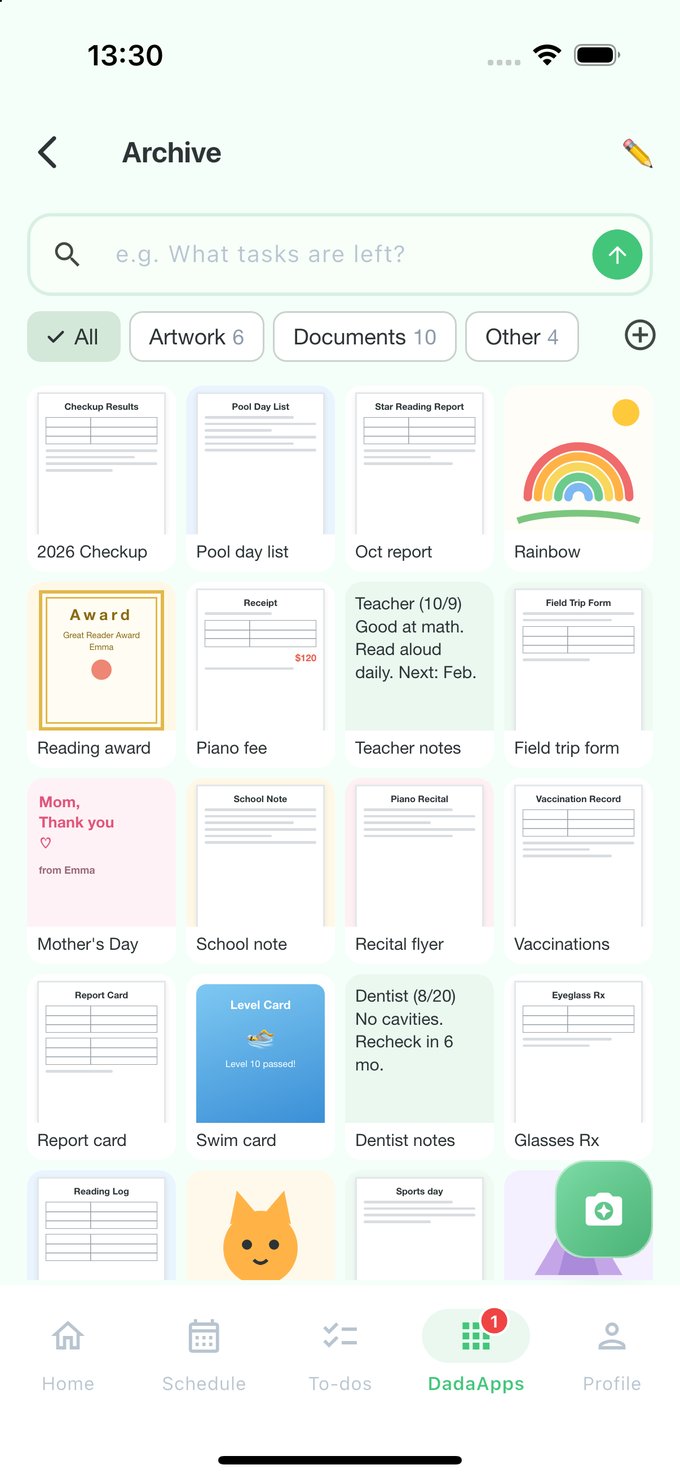
You can make your own groups. Create one like "Certificates" or "Tutoring notices" and similar items go there from then on. Anything that does not fit lands in Other, and one tap on Sort looks at what is inside and moves each item to the group where it belongs.
The app knows where each paper goes
This is what makes the Archive different from a photo folder. Depending on the kind of paper, it connects straight into other DadaRing features.
- School notices — sent to the notice feature, where things to bring and due dates become draft to-dos (notice AI)
- AR reading reports — the scores are read and added as a point on the growth chart (reading progress)
- Checkup results — height and weight are read and placed on the Growth Log curve (Growth Log)
- Drawings, certificates, receipts — kept in their own groups
The only thing you confirm is whose it is. You never upload the same photo separately for each feature. Take it once, and the original photo stays in the Archive while the contents go into the right feature.
Ask from Home
Instead of hunting through folders, ask. The search box is in the sheet that opens from the camera button on the Home screen.
Type "Show me the letters Emma wrote me" and it finds the letters you saved in the artwork group and quotes what your child wrote, word for word: "Mom, I love you! Have a great day today ☆". Even a message scribbled on a sticky note. A letter that was somewhere in a drawer comes back with one line on the night you want to read it again.
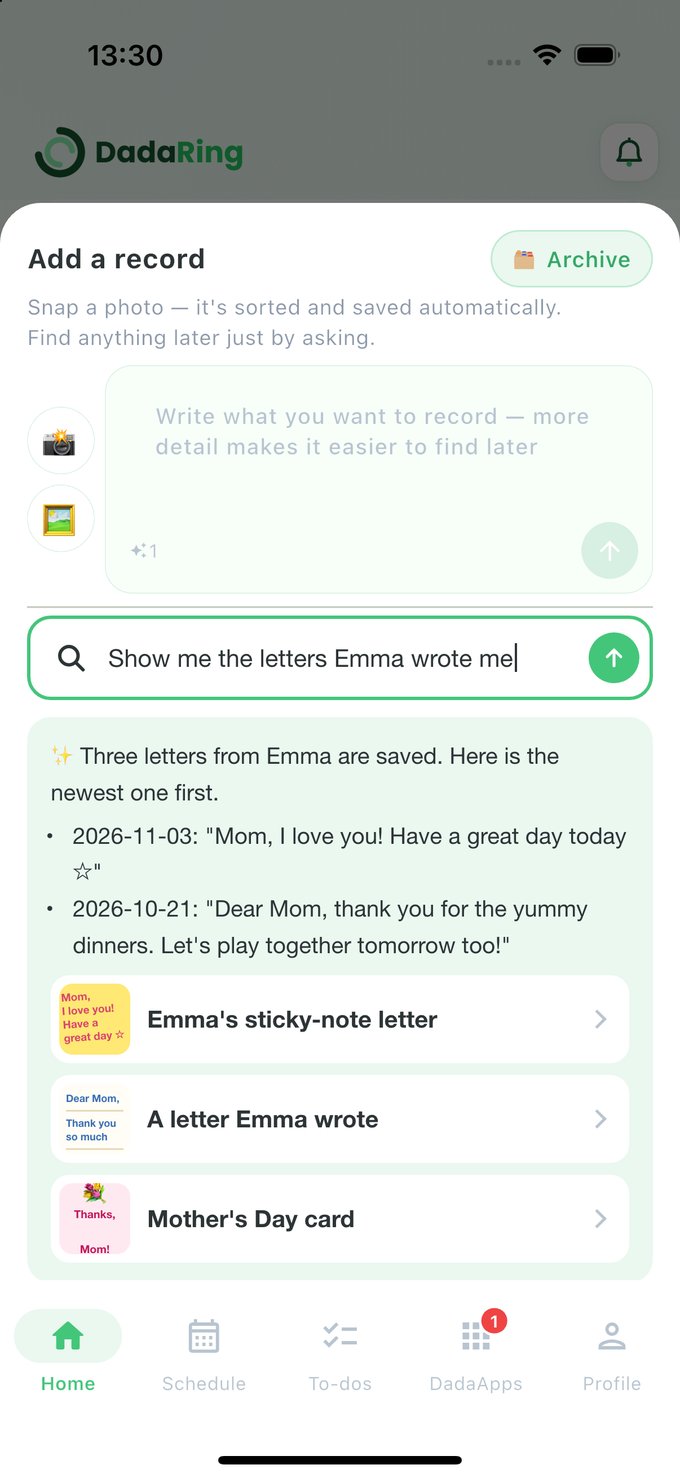
Under each answer you see the records it was based on as cards. You can tell right away which paper it came from, and tapping a card opens the original photo. There is no need to double-check whether the AI made something up.
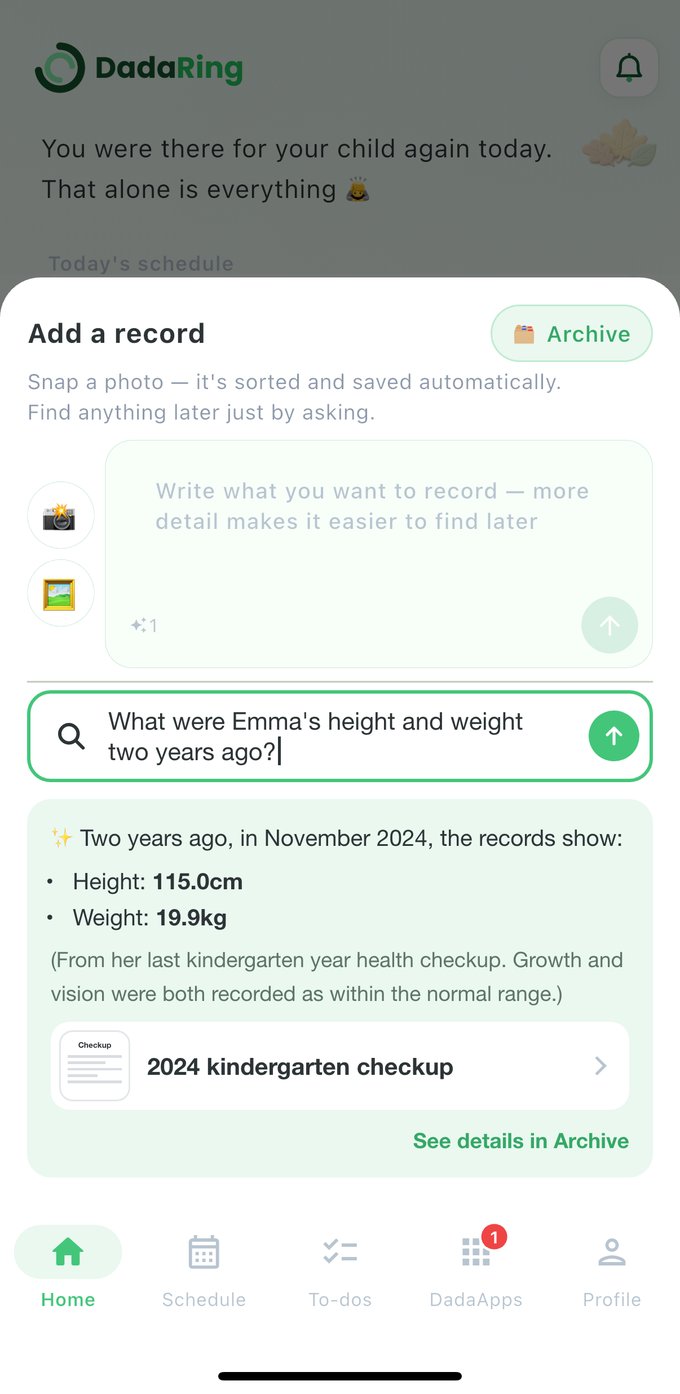
Practical questions work too. Ask "What were Emma's height and weight two years ago?" and it searches your saved checkup results and answers with numbers, such as height 115.0 cm, weight 19.9 kg.
You can ask things like these too.
- "How far along is Emma's vaccination record?" — reads the vaccination record and lists each vaccine with its date
- "When is the field trip permission slip due?" — looks up the due date written on the school notice
- "How much were this month's class receipts in total?" — adds up several receipts for you
- "What did the teacher say at the parent-teacher meeting?" — also searches notes you wrote without a photo
Search and AI answers do not use credits, so ask freely.
No photo needed, and videos work too
Things with no paper, like something the teacher told you in person or what you heard at a meeting, can go into the same Archive as text notes. You can also upload a video of a recital or sports day. DadaRing picks out the key moments and saves what was happening along with it.
Everything about your child, in one app
DadaRing is an app built for managing your child's classes, tutoring and school schedule. Alongside the Archive, it also covers:
- School notices turned into to-dos from a single photo (notice AI)
- AR reading reports turned into growth charts with AI analysis (reading progress)
- Checkup results recorded on a same-age growth curve (Growth Log)
Try DadaRing for free
Instead of sticking it on the fridge and losing it, snap it and ask.