School Notices Become To-dos from One Photo: Notice AI
Unfold the crumpled letter from the bottom of your child's bag and you find a surprising amount packed onto one short page.
Swimsuit and towel for the water-play field trip on the 25th, a link to book a parent-teacher slot by the 24th, vacation starts on the 28th, tuition autopay on the 25th... When you read it you think "I must remember that," but before you copy each item into your calendar the letter goes back into the bag, and a few days later you are asking "wait, when was that due?"
This post introduces DadaRing's Notice AI: take one photo of a school letter or notice, and AI sorts the things you need to do into a to-do list.
Photograph the notice and the to-dos pop out
Here is how Notice AI works.
- Take a photo of the letter or notice with the camera, or choose it from your gallery (several photos are fine).
- AI reads it and pulls out the items that have a date, a thing to bring or a deadline as to-dos.
- Check only the ones that are right and save, and they are added straight to your to-do list.
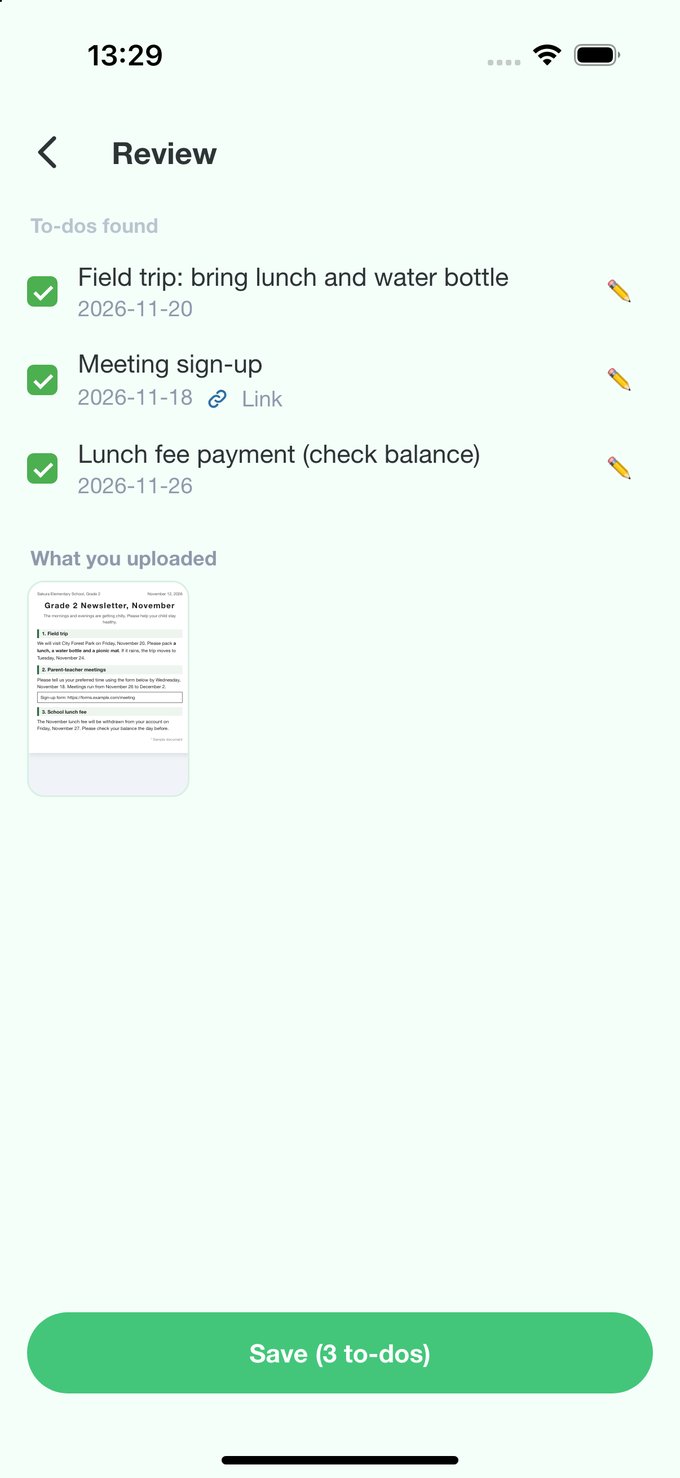
It reads the way a person would
It does more than copy the text. It understands the way notices are usually written.
- Date calculation — phrases like "next Wednesday" or "the 25th of this month" are converted into real dates and become to-dos with a deadline.
- Things to bring — a list like "swimsuit, towel, a change of clothes" is written into that day's to-do.
- Sign-up links — if the notice includes a meeting sign-up or survey address, it becomes a link you can open right away, one tap from the to-do to the sign-up page.
Once saved, they show up everywhere
To-dos saved from a notice appear on the To-dos tab, on Home and in the widget. You do not have to dig the letter out again. You take care of things right where you already look at your child's schedule.
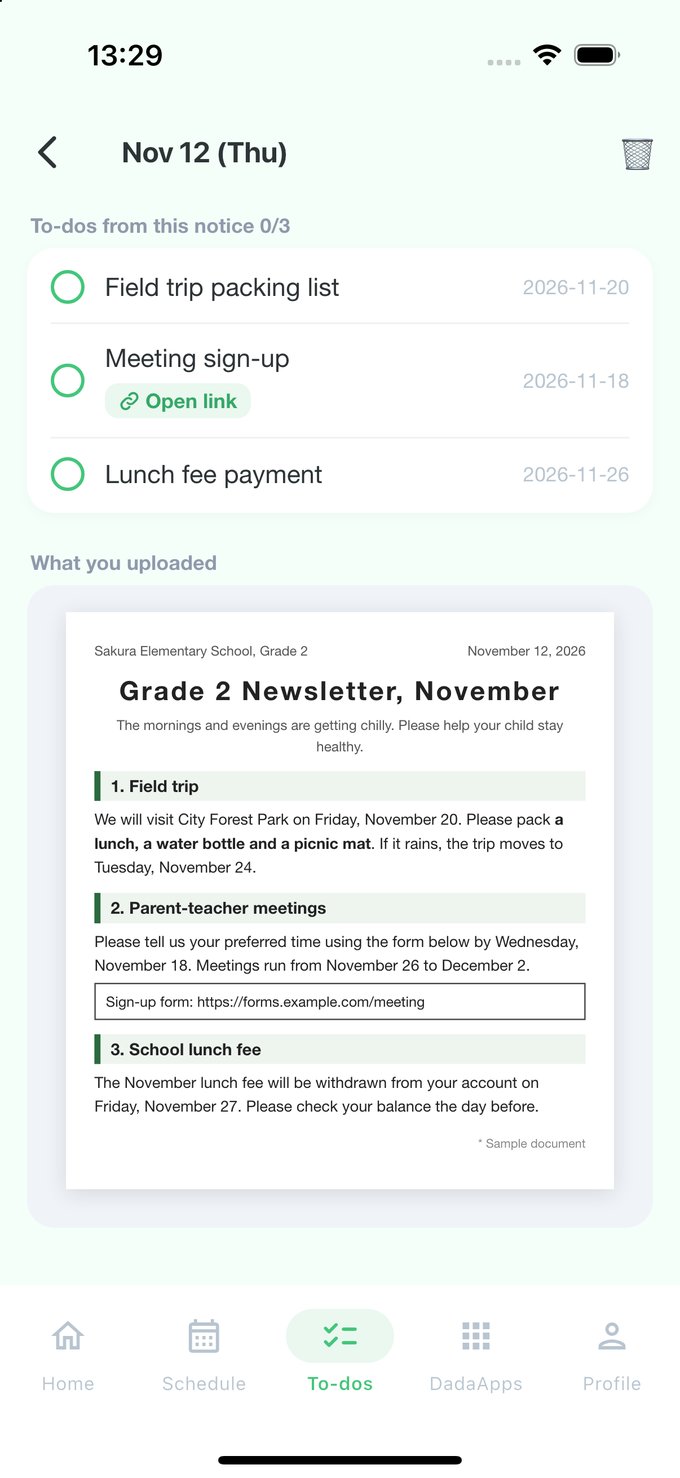
If you share the schedule with a partner or grandparent, the to-dos you create from a notice are shared too. The whole family can check "what was on the list this week?" on the same screen.
Getting started
- Open the To-dos tab and tap the school notice button above the calendar.
- In the input box at the bottom, attach a photo (or type the content yourself) and send it.
- Review the to-dos AI pulled out, and check only the ones you need to save them.
Everything about your child, in one app
DadaRing is an app built for managing your child's classes, tutoring and school schedule. Alongside Notice AI, it also covers:
- Your child's classes and school hours as a home screen widget (widget guide)
- A growth chart from a photo of an AR reading report (reading progress)
- Tuition due dates and amounts, with reminders (tuition tracking)
Try DadaRing for free
The letter at the bottom of the bag becomes a to-do list.