DadaRing Blog

For busy parents: managing your child's classes, tutoring and school schedule, and getting more out of DadaRing.

Where Are We Right Now? Today's Schedule the Moment You Open the App: The Home Screen

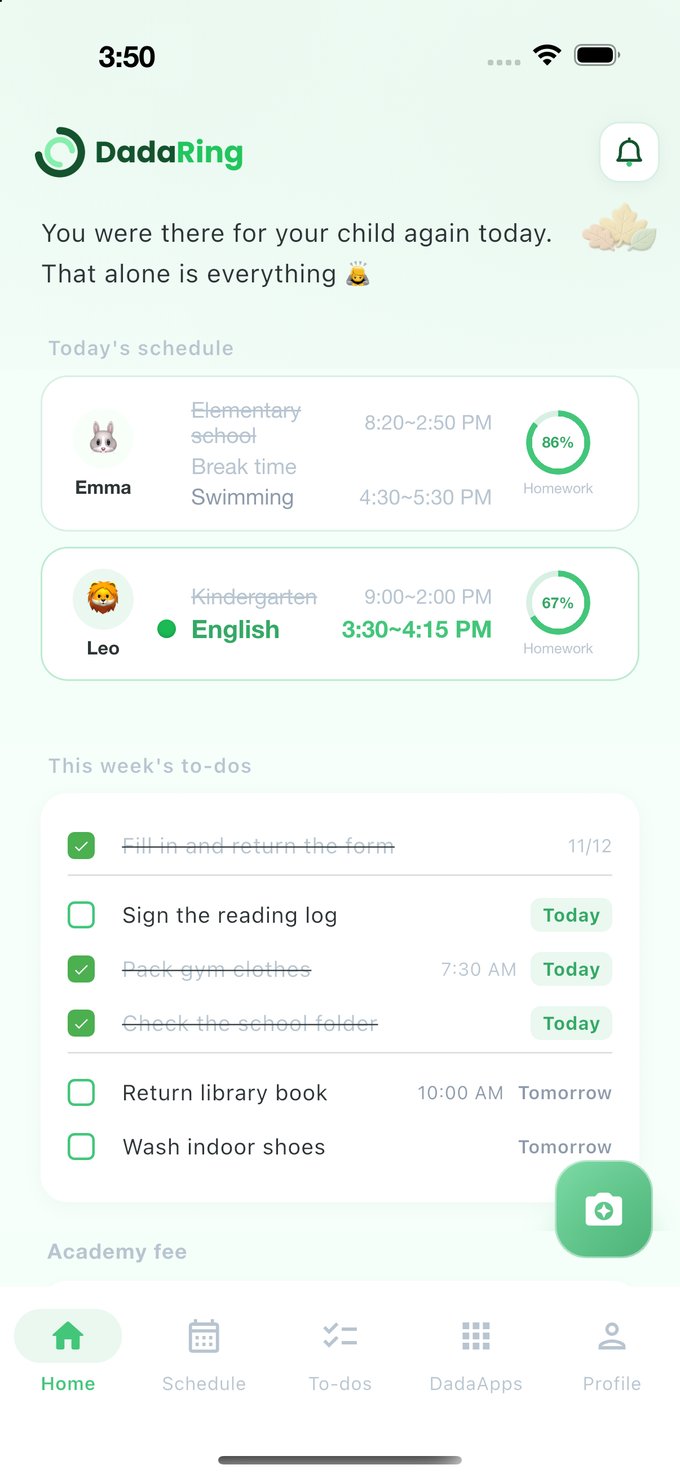
"Has Leo's English class started yet? What time is Emma's swimming?" Instead of hunting for a photo of the timetable, open the app and each child's current and next class are the first thing you see. This week's to-dos, cancelled or moved classes and upcoming tuition due dates are all checked on one Home screen.
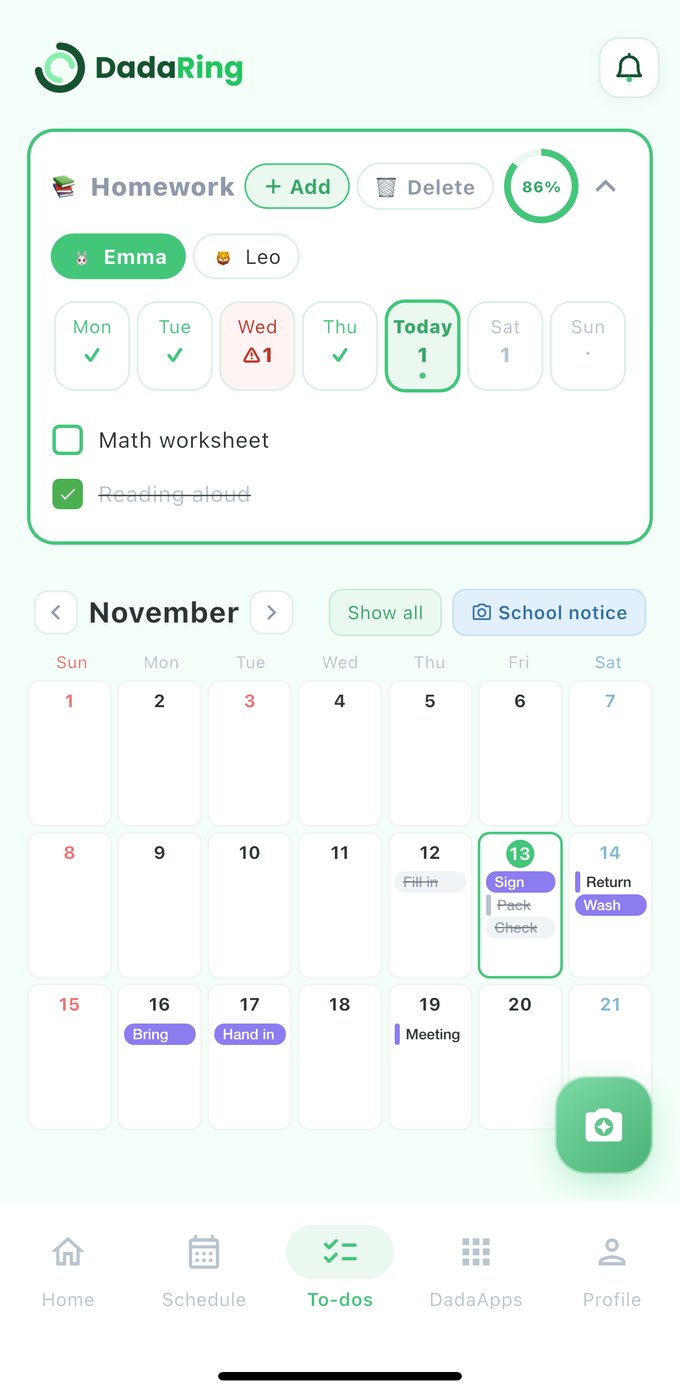
Homework and Things to Bring, on One Calendar: Your Child's To-dos

So nobody says "Mom, I need my swimsuit tomorrow!" at 9 p.m. Check off recurring homework by weekday for each child, and see things to bring and events on a monthly calendar at a glance. Write it the way you would say it and AI sorts out the times, and a weekly homework report arrives once a week.

Put Checkup Results on a Growth Curve, Not in a Drawer: See Your Child's Height as a Trend

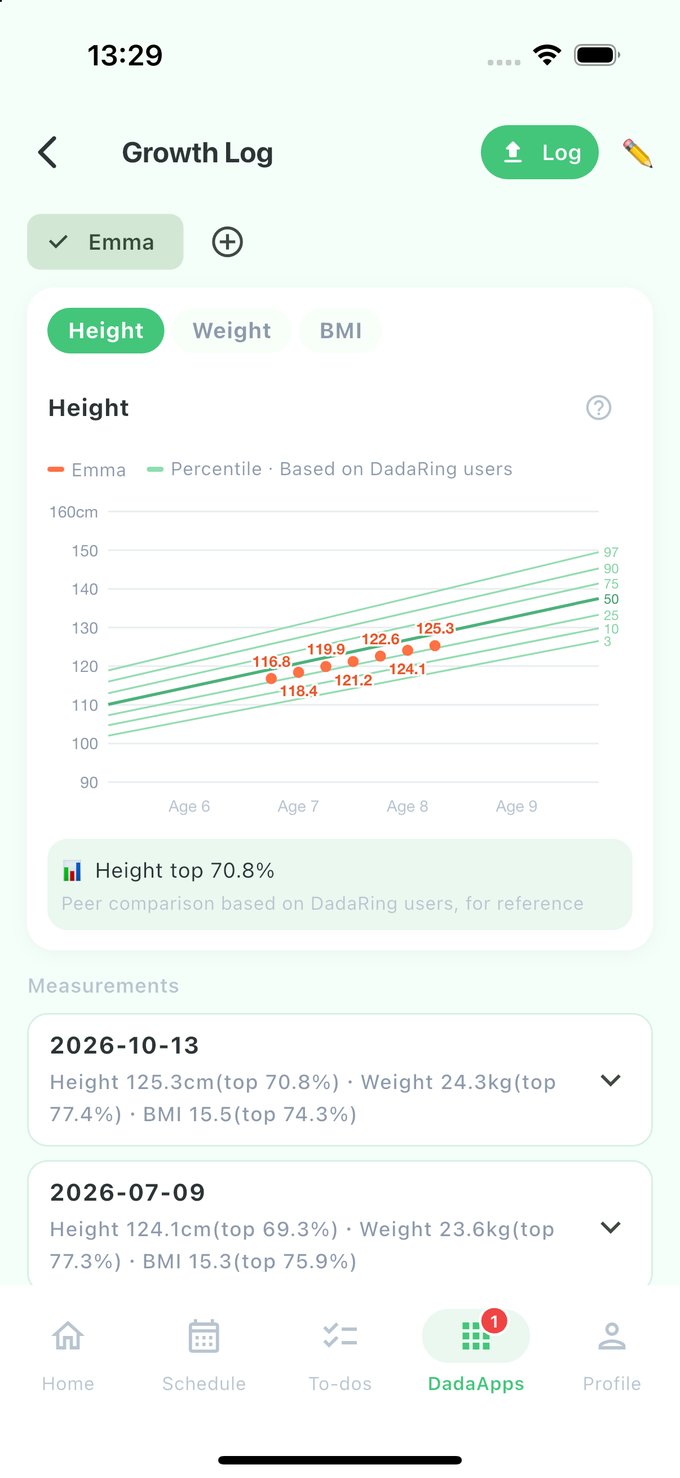
Do you glance at the height box on a checkup result and put the paper away? One photo fills in height and weight with the units sorted out, and your child's trend is drawn on a same-age curve based on DadaRing users.

Just Snap Your Child's Papers: An Archive That Finds Things When You Ask

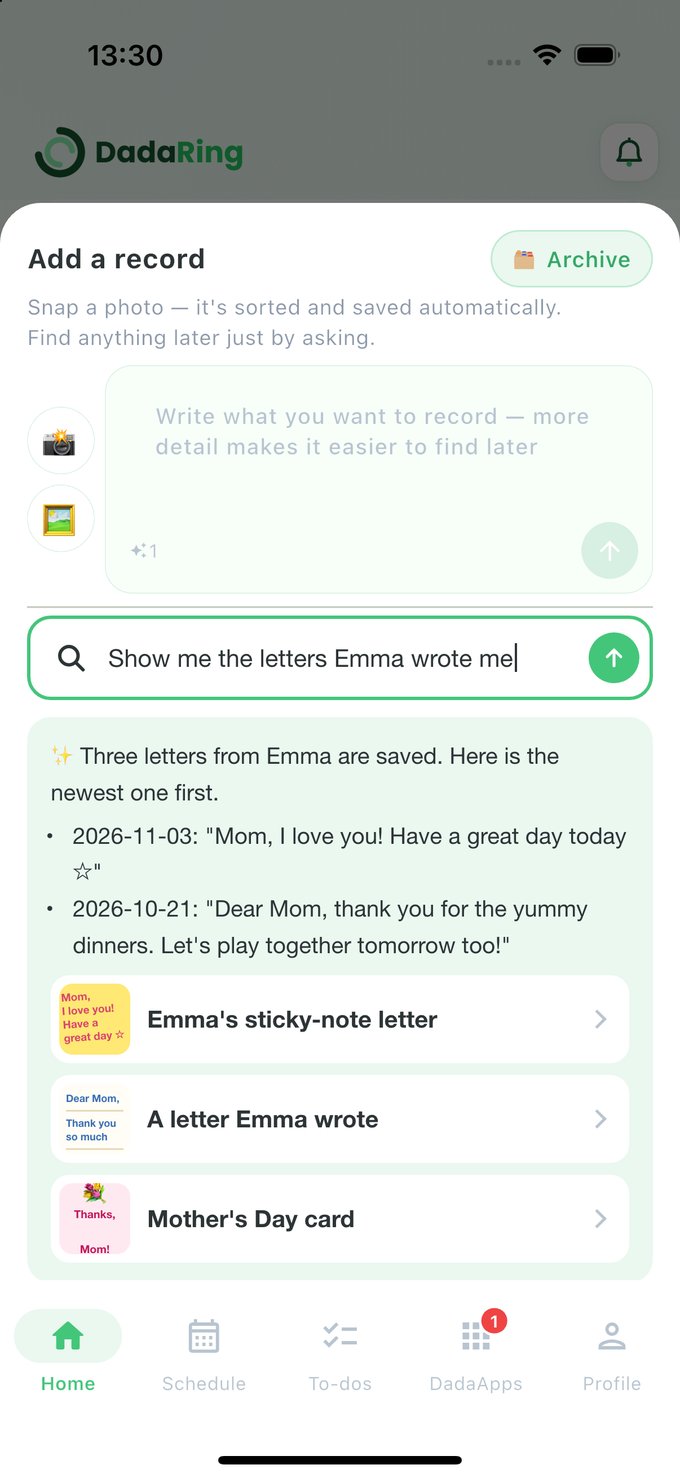
School notices, checkup results, certificates, receipts... the papers you stick on the fridge, put in a drawer and never find again. Take one photo and it is sorted by type, then find it with one line on the Home screen, like "Show me the letters Emma wrote me."

See Your Child's Schedule on the Same Screen as Your Partner and Grandparents

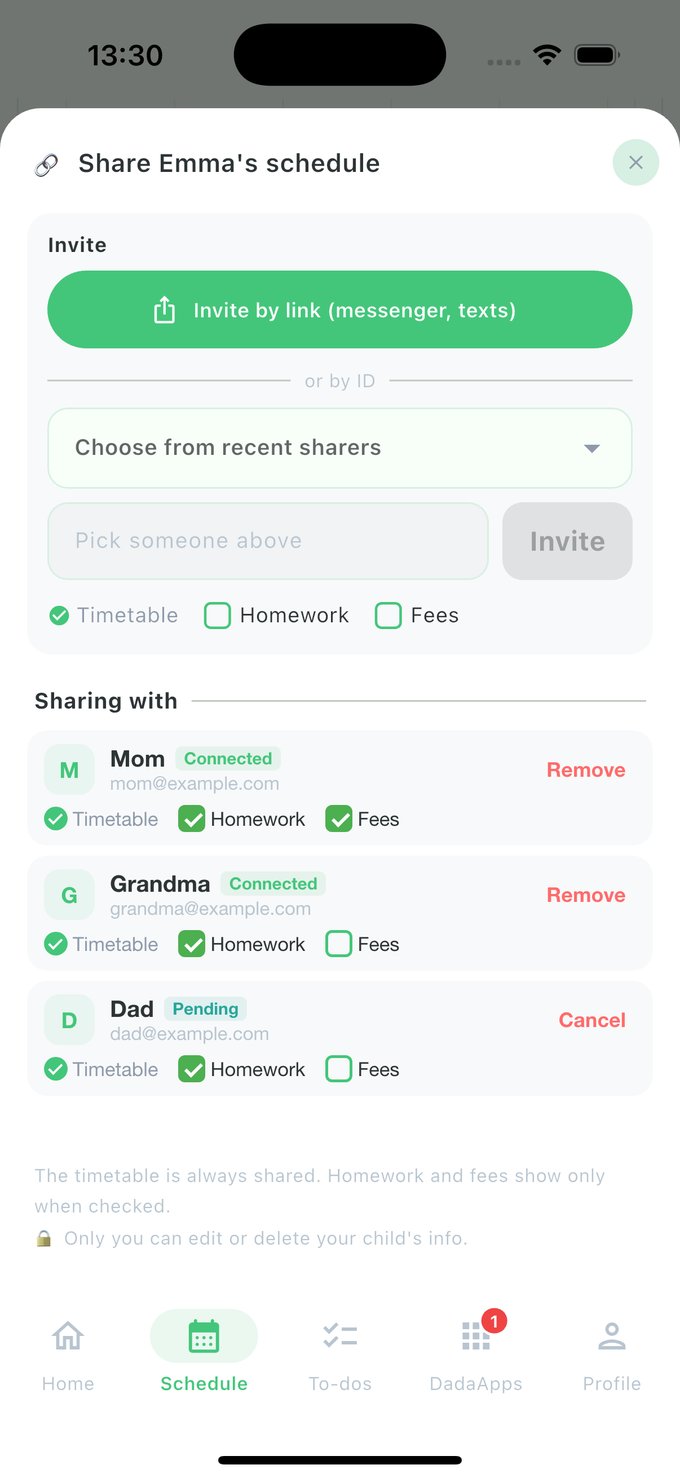
"What time is pickup today?" "Did she go to swimming?" The messages that go back and forth all day. Share your child's schedule and there is nothing left to ask. Family sharing works even for people who are not members yet, with an invite link sent by message.

Never Miss a Tuition Due Date, and See What You Spend Each Month: Tuition Tracking

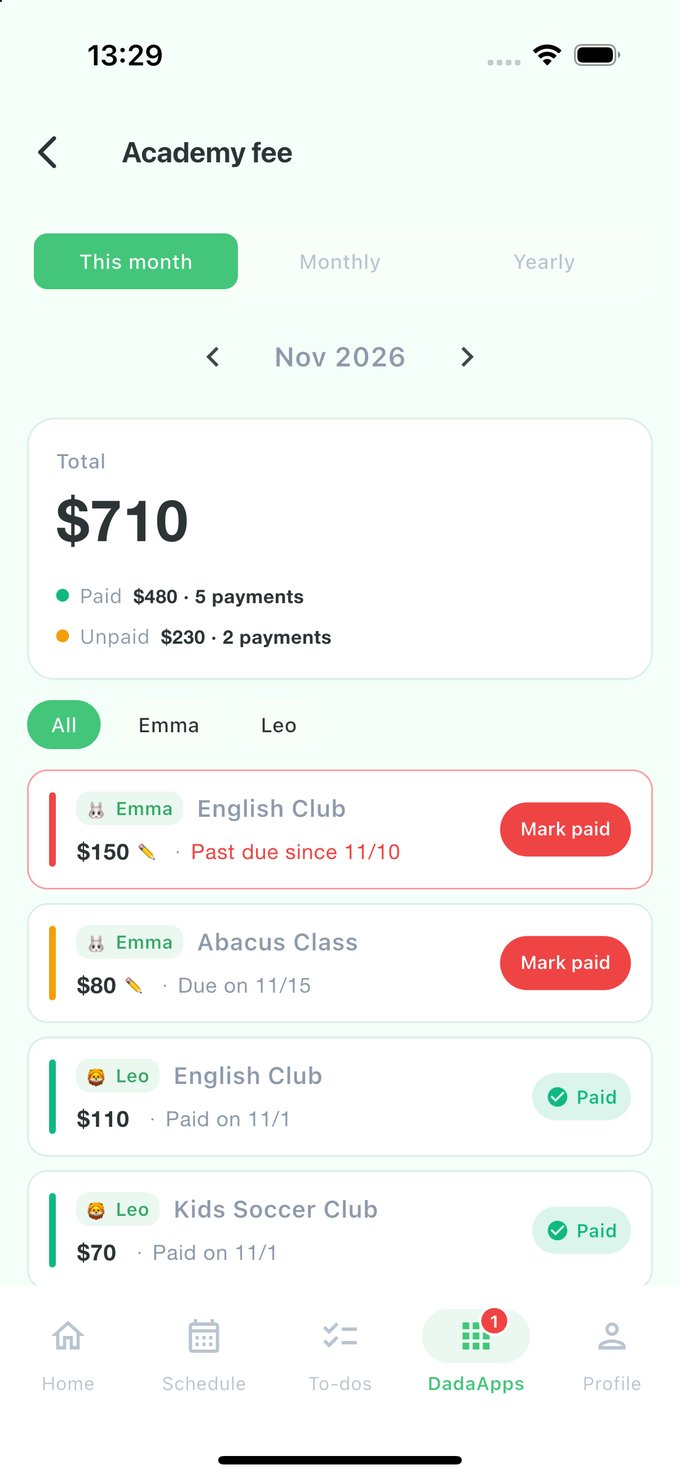
Piano on the 3rd, swimming on the 10th, English on the 25th... due dates are all over the place and you never know what you have paid this month. Enter the fees and due dates once and get a monthly overview that organizes itself.

Managing Your Child's Activities: One Screen for a Different Schedule Every Day

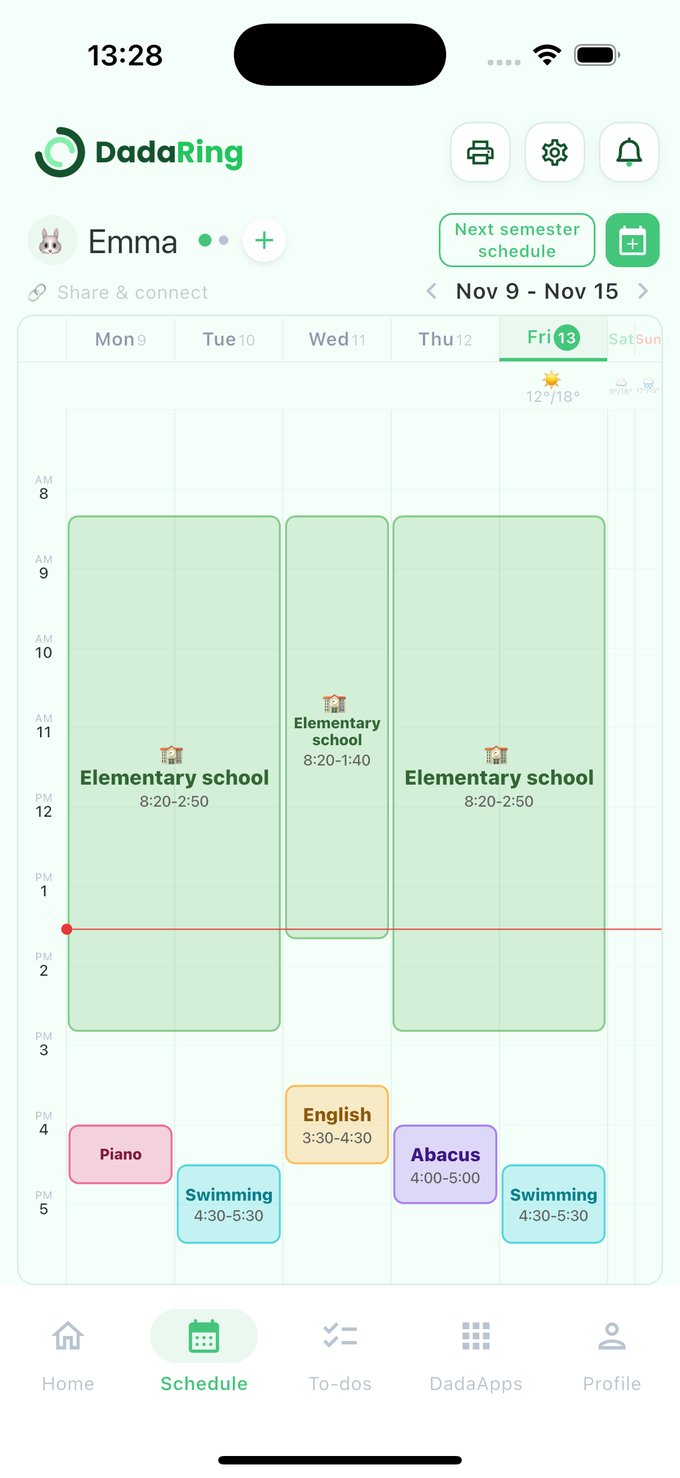
Piano on Monday, English on Tuesday, English again on Thursday but 30 minutes later... Instead of keeping each day's times in your head, enter them once and the weekly timetable fills in every week.

School Notices Become To-dos from One Photo: Notice AI

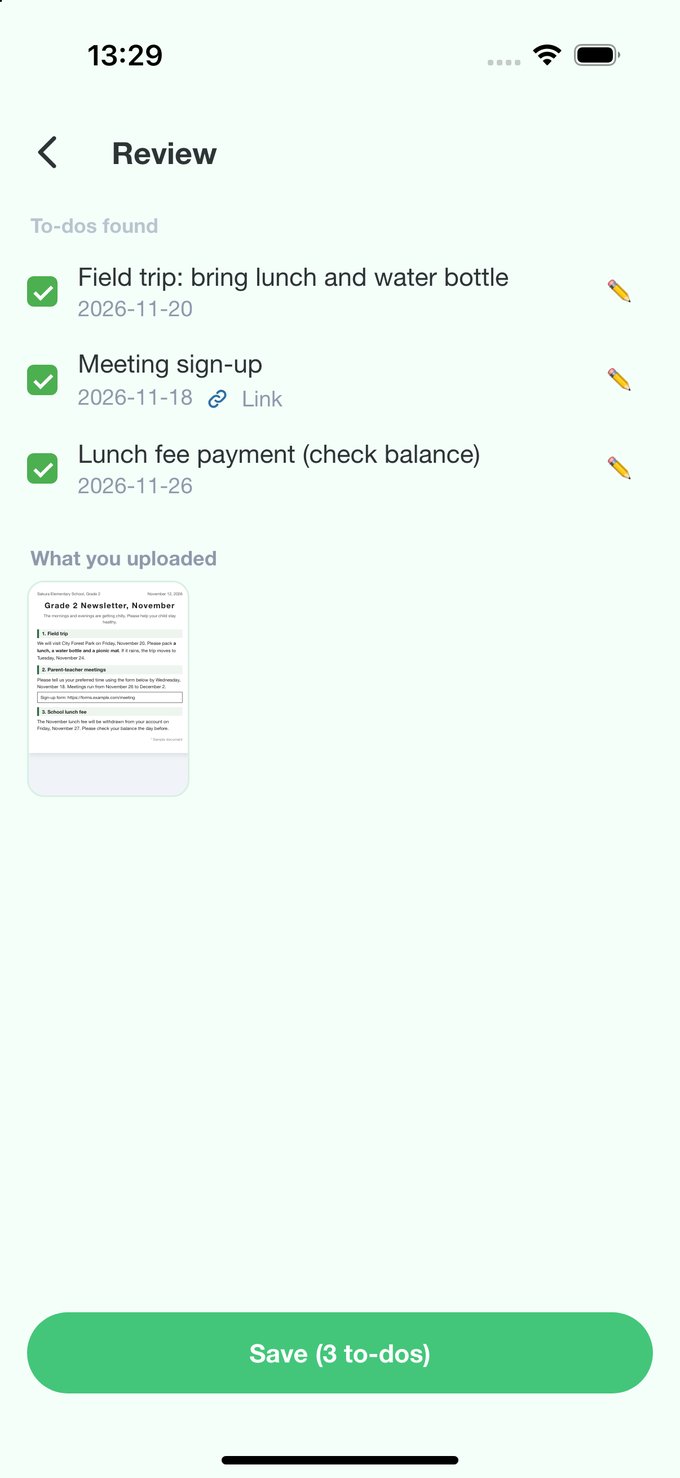
Field trip packing lists, parent-teacher meeting sign-ups, payment deadlines... do you copy every notice into your calendar by hand? Take one photo and AI sorts the dates, things to bring and sign-up links into to-dos.

Track Your Child's Reading Progress: Turn an AR Report into a Growth Chart

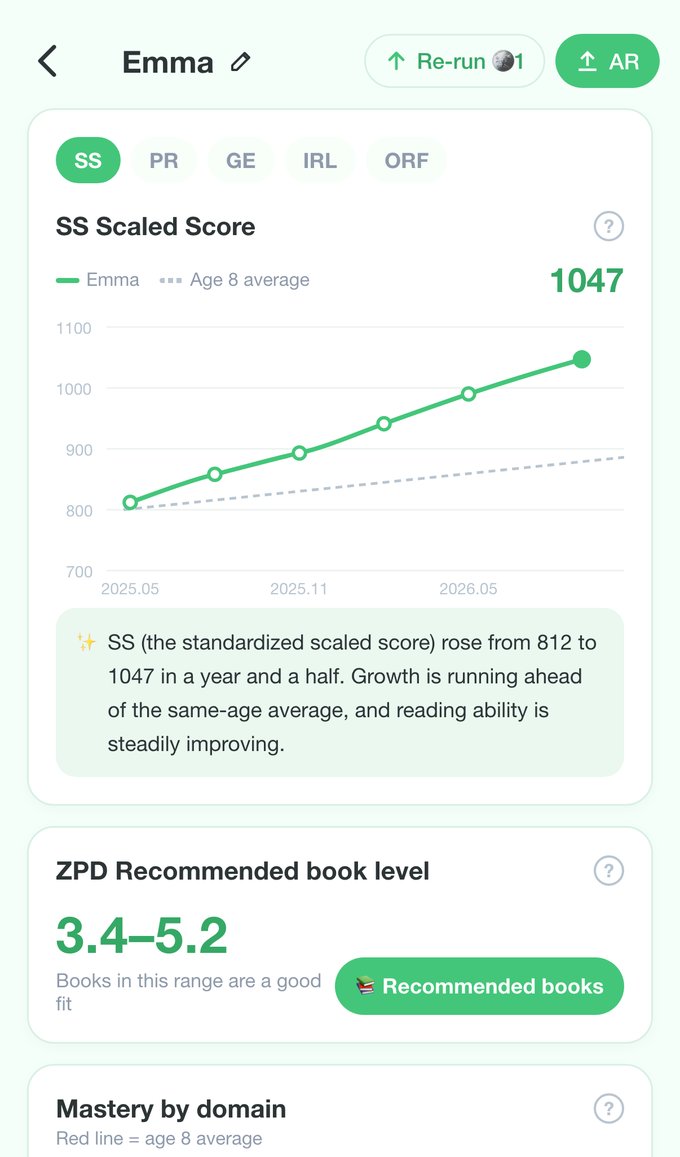
SS 1047? GE 4.1? ZPD 3.4–5.2? How to read the AR and Star Reading reports many US schools use, and how one photo gives you a reading growth chart, a same-age comparison and AI analysis.

Check Your Child's Classes from the Home Screen, Without Opening the App: Widget Guide

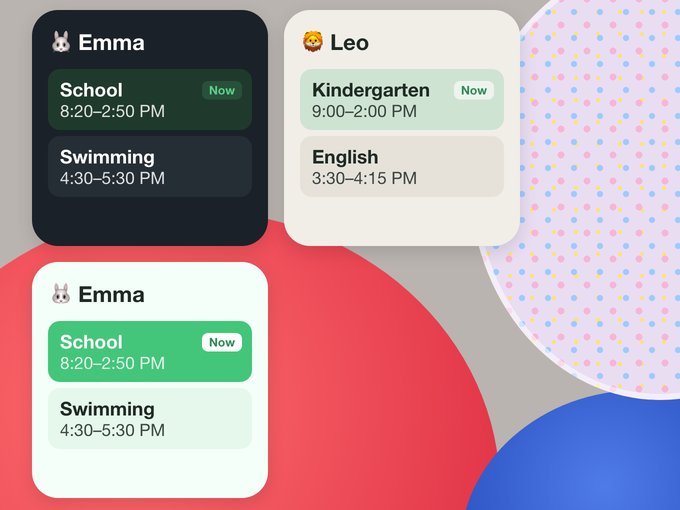
"Is it piano or swimming today?" Instead of looking for the app every morning, see your child's schedule for today and the week on a home screen widget. Setup steps for iPhone and Android included.