Homework and Things to Bring, on One Calendar: Your Child's To-dos
It is 9 p.m., and your child, brushing their teeth, suddenly says, "Mom, I need my swimsuit tomorrow!" Only then do you wonder whether the English words were memorized, and how many pages of the math workbook were due.
Homework is scattered across classes, things to bring across school notices, and events across letters from school. They end up in your head, in your messages and on sticky notes on the fridge. DadaRing splits them into two tracks on one screen: homework by child, to-dos by date.
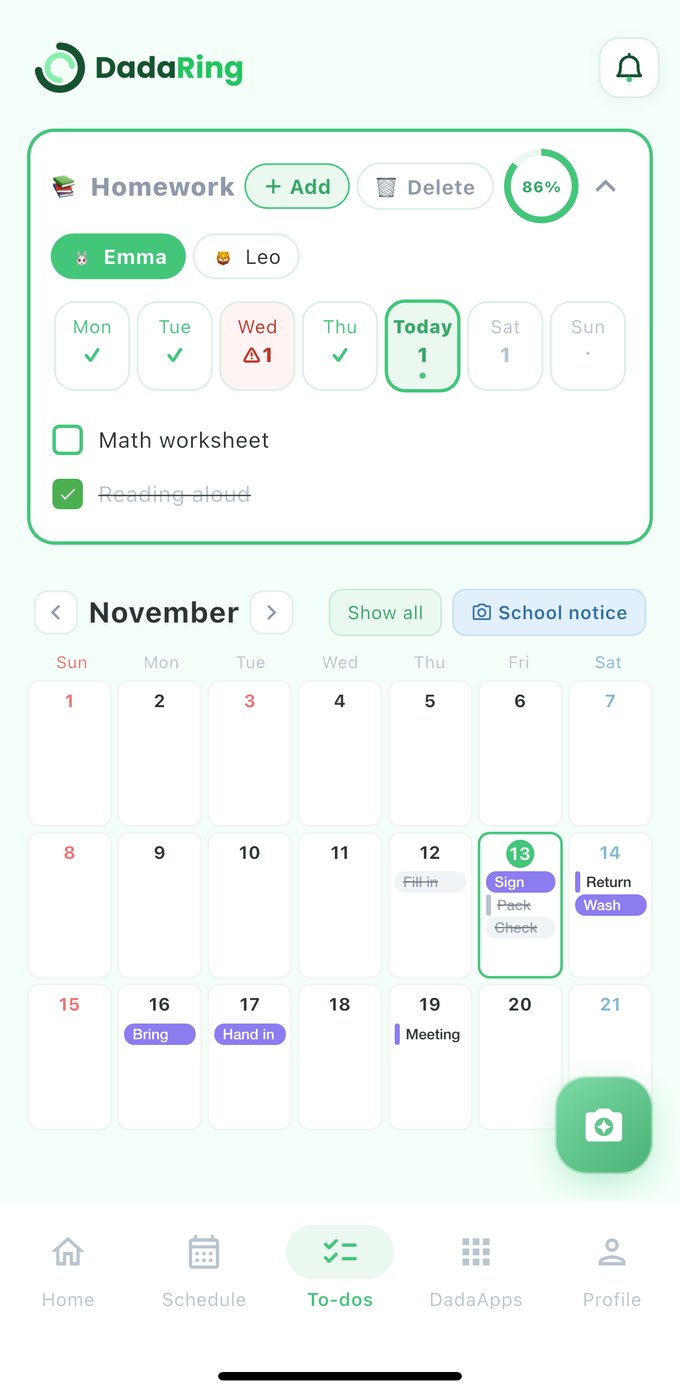
Homework by child, repeating on the days you choose
For recurring homework like "20 English words on Mon, Wed and Fri" or "practice piano every day," you only need to enter it once. Choose the days it repeats, or pick a specific date for a one-off assignment.
- A weekday box gets a ✓ when that day's homework is all done, and today shows how many are left. If something was missed on an earlier day it is flagged with a red ⚠ so it does not slip by. Tap a weekday to see that day's list.
- The circle at the top right is this week's progress: the share of homework due so far that has been done.
- With several children, switch between them with the name chips. If you do not use homework, you can collapse the panel.
To-dos at a glance on the calendar
Things with a date, such as things to bring, parent-teacher meetings and field trips, go on the monthly calendar below.
- A to-do with a set time gets a bar on the left, and finished ones are struck through.
- Normally you see just three weeks: last week, this week and next week. Tap Show all to see the whole month.
- Use the school notice button above the calendar to photograph a letter from school and have the things to bring and due dates sorted into to-dos (Notice AI).
Finished to-dos are not deleted. Flip back to last month and you have a record of what you took care of.
Tap a date and write it the way you would say it
Tap a date on the calendar to open that day's to-dos, then write in plain language in the box below.
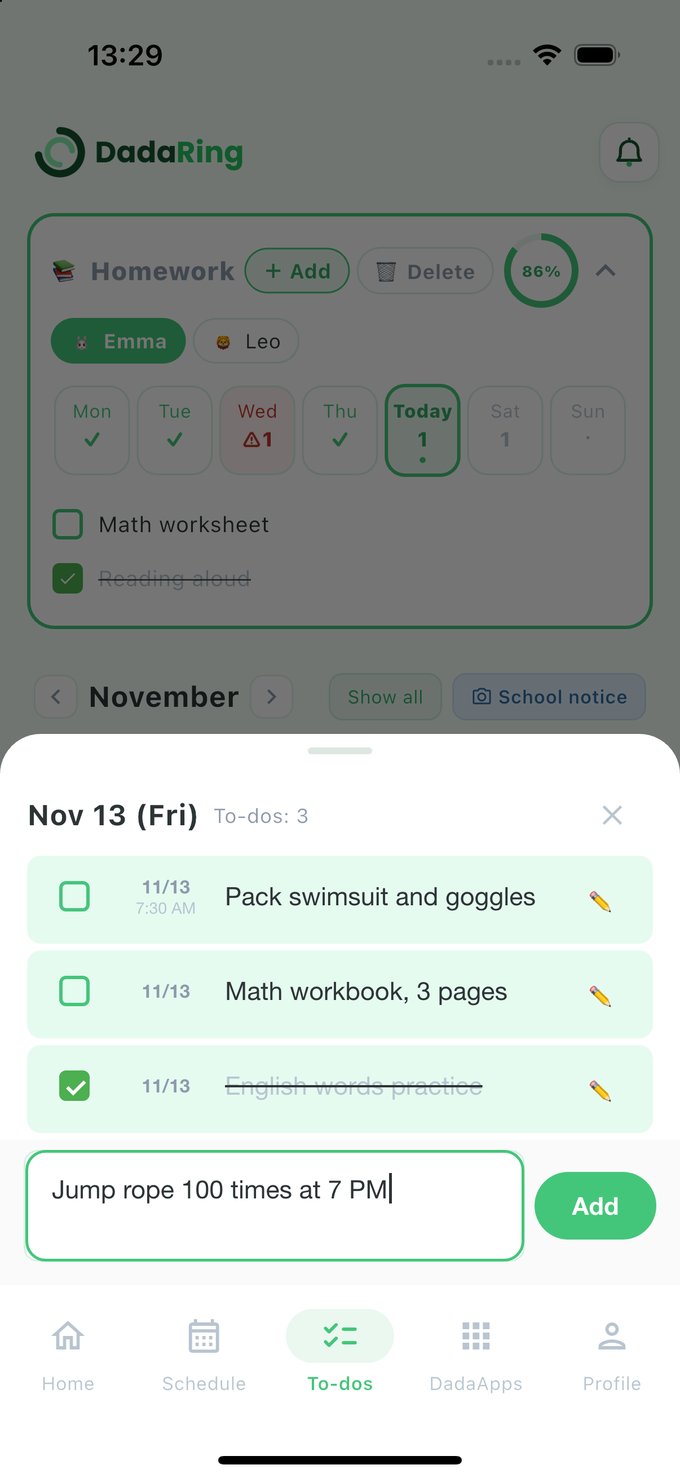
Write "Jump rope 100 times at 7 PM" and AI keeps the title short and moves "7 PM" into the time field. The date is the day you tapped. Calendar cells are narrow, so the title is tidied up to put the key words first.
AI tidying of to-dos does not use credits. Even if you go past the daily allowance on the free plan, your to-do is simply saved without the AI tidy-up.
Reminders so nothing slips by
- To-do reminders — a to-do with a time can notify you shortly before it starts. You can change how far ahead in the settings.
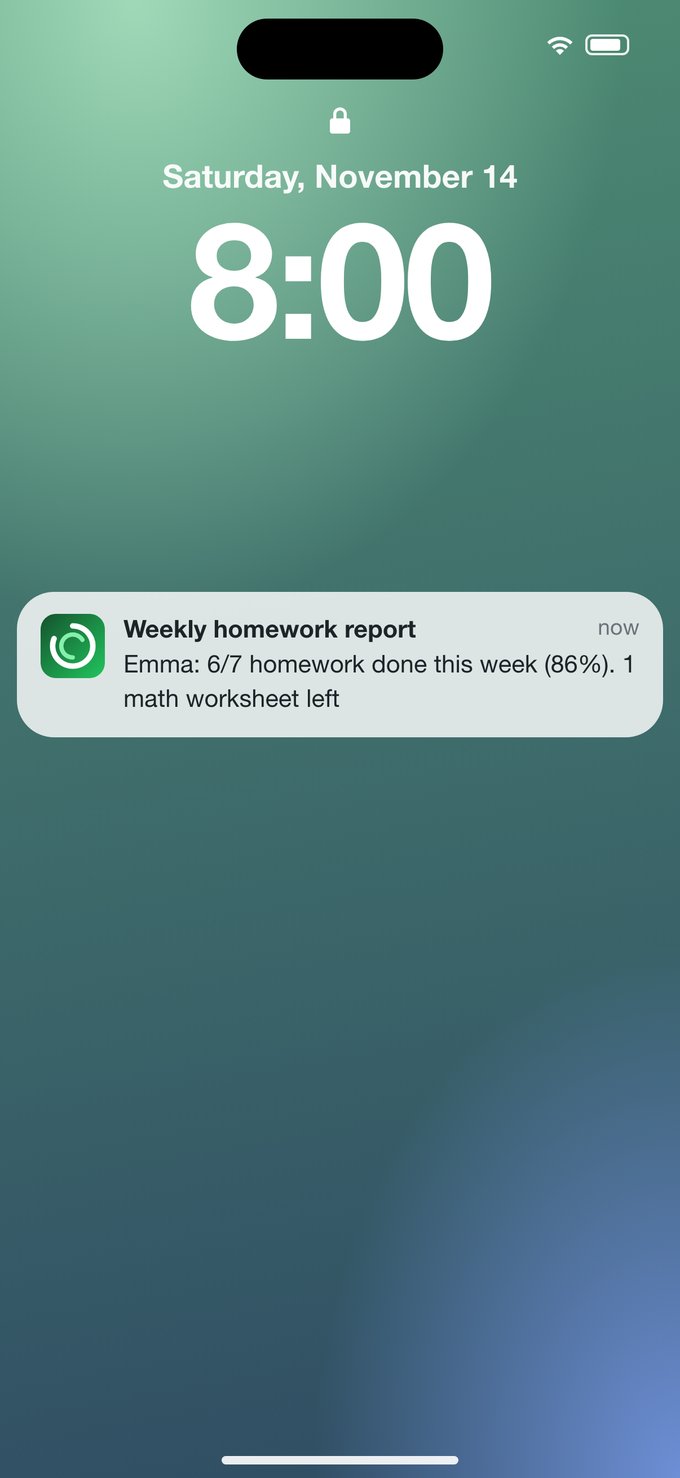
- Weekly homework report — once a week, it tells you how much homework each child finished. You can change the day and time in the notification settings.
- The home screen widget also shows how much homework you have done today and this week (widget guide).
Everything about your child, in one app
DadaRing is an app built for managing your child's classes, tutoring and school schedule. Alongside homework and to-dos, it also covers:
- Weekly timetables for classes and school, for each child (weekly timetable)
- School notices turned into to-dos from a single photo (Notice AI)
- A growth curve from a single checkup result (growth tracking)
Try DadaRing for free
Turn the 9 p.m. "I need my swimsuit tomorrow!" into something you packed ahead of time.